Leveraging Unifi Network Equipment for Seamless Home Automation Solutions
Home automation is becoming a standard feature in modern living, offering convenience, security, and energy efficiency. However, the backbone of any smart home is a reliable and fast network. Unifi network equipment has gained popularity for its ability to provide strong, consistent connectivity that supports a wide range of smart devices. This post explores how Unifi gear can enhance your home automation setup, making your smart home experience smoother and more reliable.

Why Network Quality Matters in Home Automation
Smart home devices like security cameras, smart thermostats, lighting systems, and voice assistants all depend on a stable network connection. Interruptions or slow speeds can cause delays, missed alerts, or devices failing to respond. Many consumer-grade routers struggle to handle multiple devices simultaneously, especially when streaming video or running automation routines.
Unifi equipment is designed to handle high device density with minimal interference. This means your smart home devices can communicate reliably without lag or dropouts. The system’s centralized management also simplifies monitoring and troubleshooting, which is essential for maintaining a seamless home automation experience.
Key Features of Unifi Equipment for Smart Homes
Unifi offers a range of products that work together to create a strong home network. Here are some features that make it ideal for home automation:
Mesh Wi-Fi System
Unifi access points can be placed throughout your home to create a mesh network. This eliminates dead zones and ensures consistent coverage in every room, including basements and outdoor areas.
High Device Capacity
Unifi devices support dozens of connected clients without slowing down. This is crucial as smart homes often have 20 or more connected devices.
Centralized Controller Software
The Unifi Controller app allows you to manage all network devices from one interface. You can monitor device status, set up guest networks, and prioritize traffic for critical smart home devices.
Advanced Security Features
Unifi equipment includes built-in firewall and intrusion detection options. This protects your smart home devices from external threats and unauthorized access.
Power over Ethernet (PoE)
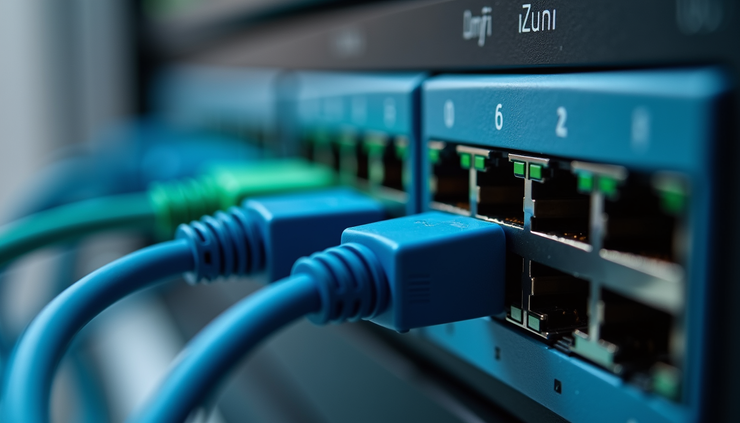
Many Unifi access points and switches support PoE, simplifying installation by allowing power and data over a single cable. This is useful for placing devices in optimal locations without needing extra power outlets.
Setting Up Unifi for Home Automation
To get the most out of Unifi equipment in your smart home, follow these practical steps:
Plan Your Network Layout
Identify areas where you need strong Wi-Fi coverage, including rooms with smart hubs, security cameras, or voice assistants. Place Unifi access points strategically to cover these zones.
Use Wired Connections Where Possible
Devices like smart hubs or media servers benefit from wired Ethernet connections to reduce latency and improve reliability. Unifi switches with PoE can power and connect these devices efficiently.
Segment Your Network
Create separate networks or VLANs for smart home devices and personal devices. This improves security and allows you to prioritize traffic for automation systems.
Regularly Update Firmware
Keep your Unifi devices updated to benefit from the latest security patches and performance improvements.
Monitor Network Performance
Use the Unifi Controller to check device status and bandwidth usage. This helps identify any weak spots or devices causing network congestion.

Real-World Examples of Unifi in Home Automation
Many homeowners have successfully integrated Unifi equipment to improve their smart home systems. For example:
A family installed multiple Unifi access points to cover a large multi-story house. This setup eliminated Wi-Fi dead zones in the basement and backyard, allowing security cameras and smart locks to stay online at all times.
A tech enthusiast used Unifi switches with PoE to power smart lighting controllers and IP cameras. This reduced cable clutter and ensured devices remained powered even during power surges.
Another user segmented their network with Unifi VLANs, isolating smart home devices from personal devices. This improved security and allowed them to prioritize video streaming from smart cameras during busy internet usage times.
Tips for Choosing the Right Unifi Equipment
When selecting Unifi products for your home automation, consider these factors:
Home Size and Layout
Larger homes or those with thick walls may require more access points to maintain coverage.
Number of Devices
Count all smart devices and plan for future additions. Choose equipment that supports high client density.
Wired vs. Wireless Needs
Decide which devices can use Ethernet and which rely on Wi-Fi. PoE switches are helpful for wired smart devices.
Budget
Unifi offers products at various price points. Balance cost with performance needs.


Comments