Essential Guide to Building a Reliable Smart Home Network
Creating a smart home means connecting many devices—from security cameras to smart lights and thermostats. But without a strong and reliable home network, these devices can lag, disconnect, or fail to work properly. Building a dependable smart home network is key to enjoying seamless control and automation. This guide walks you through the essential steps to set up a network that supports your smart home needs without frustration.

Understand Your Smart Home Needs
Before buying equipment or setting up your network, list all the smart devices you plan to use. This includes:
Smart speakers and assistants
Security cameras and doorbells
Smart lights and plugs
Thermostats and sensors
Entertainment devices like smart TVs and streaming boxes
Knowing the number and type of devices helps determine the network capacity and coverage you need. For example, a few smart bulbs require less bandwidth than multiple 4K security cameras streaming video.
Choose the Right Router
The router is the heart of your home network. A good router supports multiple devices, offers strong Wi-Fi signals, and handles high data traffic smoothly.
Look for these features:
Dual-band or tri-band Wi-Fi for better device management
Support for the latest Wi-Fi standards (Wi-Fi 5 or Wi-Fi 6)
Quality of Service (QoS) settings to prioritize smart home traffic
Easy-to-use app or interface for monitoring and management
Avoid using outdated routers that may struggle with many connected devices or cause slowdowns.
Plan Your Network Layout for Coverage
Wi-Fi signals weaken with distance and obstacles like walls or floors. To ensure reliable connections:
Place your router in a central location, away from thick walls or metal objects
Consider Wi-Fi mesh systems if you have a large or multi-story home
Use range extenders or additional access points to cover dead zones
Mapping your home and testing signal strength in different rooms helps identify where coverage needs improvement.
Secure Your Smart Home Network
Security is critical to protect your devices and personal data. Follow these steps:
Change default router passwords to strong, unique ones
Enable WPA3 or WPA2 encryption for Wi-Fi
Regularly update router firmware to patch vulnerabilities
Create a separate guest network for visitors or less secure devices
Disable remote management unless necessary
Many smart devices have their own security settings—check and update those as well.
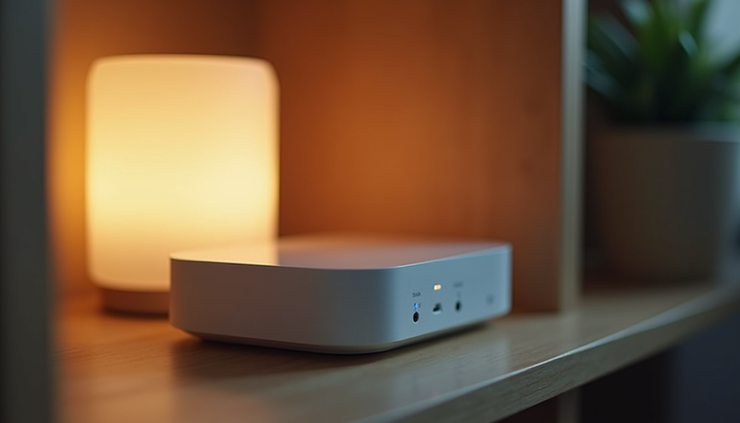
Use Wired Connections When Possible
Wi-Fi is convenient but can be unstable or slow in some cases. For devices that need constant, fast connections—like smart TVs, gaming consoles, or hubs—use Ethernet cables. Wired connections reduce interference and improve reliability.
If running cables is difficult, consider Powerline adapters that use your home’s electrical wiring to carry network signals.
Manage Bandwidth and Device Priorities
Smart homes often have many devices competing for bandwidth. To keep critical devices running smoothly:
Use your router’s QoS settings to prioritize important devices or applications
Limit bandwidth-heavy activities during peak smart home usage times
Monitor network traffic regularly to spot unusual activity or congestion
Some routers provide detailed reports and alerts through their management apps.
Keep Your Network Updated and Maintained
Technology evolves, and so do security threats. Maintain your smart home network by:
Checking for and installing firmware updates on your router and devices
Restarting your router periodically to clear memory and improve performance
Reviewing connected devices and removing any unknown or unused ones
Backing up your router settings if supported
Regular maintenance keeps your network running efficiently and securely.
Troubleshoot Common Network Issues
Even with a solid setup, problems can arise. Here are quick fixes for common issues:
Slow Wi-Fi: Move closer to the router or add a mesh node
Devices disconnecting: Restart the device and router, check for firmware updates
Poor video streaming: Reduce the number of active devices or prioritize streaming traffic
Security alerts: Change passwords and scan devices for malware
Knowing basic troubleshooting saves time and frustration.
Building a reliable smart home network takes planning and care, but the payoff is a smooth, responsive system that makes daily life easier. Start by understanding your device needs, choose the right router, and ensure strong coverage and security. Use wired connections where possible and manage your bandwidth wisely. Keep your network updated and be ready to troubleshoot issues quickly.


Comments